Project Viewer: Group Bans

Editor’s Note: Thank you to the blog “Living in a Modemworld” which provided the basis for this post.

One of the peskiest problems that businesses, clubs and other public groups have are griefers and other pests who join groups, spam the group and then leave or are kicked out only to return over and over again. Or a disgruntled former employee or customer decides to use the group as a venue for airing their grievances. Either way, having a “click here to join” open group means that you are also opening yourself up to problems.

So how to solve this? Other than simply chasing out each person as they cause trouble, and watching them come back over and over again, or they create alts to wreck havoc and spam your group, there has not been a viable solution until now.

As of June 18, 2014, Linden Labs has released a project viewer that allows for group ban. This viewer was actually released on June 17th, but wasn’t active on all servers until June 18th. This viewer (version 3.7.8.290887), as its name suggests, allows group owners (and those they nominate by role) to ban individuals from their group.

These group bans are enforced on the server side, similar to the way that parcel and estate bans work, and provides a viable way to remove pests from a group and keep them from re-joining. Eventually this will be part of the release viewer, but this project viewer allows users to get a taste of the features of this viewer. This will make SL group chat a lot more peaceful for most residents.

In the blog Living in a Modemworld, the author noted the following:

• By default, only a group’s Owners role has the Manage Ban List ability for banning other avatars from a group /removing avatars from the ban list

• The ability can be granted to other roles, if required

• Roles which are granted this ability are also granted the Eject Members from this Group and Remove Members from Roles abilities

• The ban list for a group can store a maximum of 500 entries. When this limit is reached, some avatars must be removed before others can be added

• Group Owners cannot be banned from a group (just as they cannot be ejected)

• When a group member is banned from the group, they are automatically ejected and will receive the usual ejection notification, but will not receive any notice that they have also been banned

• A user who is banned from a group cannot join it either directly or through an invitation

• If a group member is banned while using group chat, they may be able to continue using it until they close the group chat window (this problem also exists when ejecting someone from a group when they have the group chat window open)

• Any attempt to invite one or more banned avatars into a group, whether individually or as a part of a list, will generate the message: “Some residents have not been sent an invite due to being banned from the group.”

Obviously, it is not without it’s limitations, as if the avatar causing a problem has group chat open when they are banned, they can continue to continue to post even after being banned, and if someone is serious about spamming your group, or airing their grievances, if they leave the group chat window open indefinitely and don’t log out, they would be able to continue to cause a problem. However, hopefully eventually they will tire of their silly behavior and move on.

In the Release Notes from the project viewer wiki, it answers some important questions for group owners:

How do I ban somebody from my group?

1. Login with a viewer that supports group ban
2. Ensure that you have “Manage ban list” ability
• This information is found in the group info floater, under ‘Roles’ -> ‘ROLES’ -> ‘Allowed Abilities’ panel -> ‘Group Ban’ section
3. To ban via the group member list,
• Open the group info floater’
• Open ‘Roles’ -> ‘MEMBERS’, and select the group members you wish to ban
• Hit the ‘Ban Member(s)’ button
• The selected group members will be ejected from the group and added to the ban list
4. To ban any user from your group (a member or not)
• Open the group info floater
• Open ‘Roles’ -> ‘BANNNED AGENTS’
• Hit the ‘Ban Resident(s)’ button
• Using the people picker floater, find the avatars you wish to ban
• Hit the ‘Ban Residents’ button
• The avatars will be added to the ban list. If they were group members, they will also be ejected from the group.

Conversely, the wiki discusses how to unban someone:

How do I unban somebody from my group?

1. Login with a viewer that supports group ban
2. Ensure that you have “Manage ban list” ability
3. Open the group info floater
4. Open ‘Roles’ -> ‘BANNNED AGENTS’
5. Select the banned agents you wish to unbar
6. Hit the ‘Remove Ban(s)’ button

This group ban viewer is compatible with Windows, iOS and Linux.

Please visit the Modemworld blog; Inara Pey has some awesome pics and more information.

This viewer is a huge step forward in giving group owners a tool for removing and permanently dealing with disruptive avatars.

Related links:

Living in a Modemworld
Release Notes/Second Life Project Group Ban

I remain respectfully yours,
~ Suzanne Piers, ZoHa Islands Social Media Manager
Curio Obscura: Home of the Strange and Wonderful

I was wandering around the ZoHa Islands Business District and stumbled across probably the most unique store I’ve ever seen in Second Life!  Curio Obscura grabs your attention immediately with this unique build, and draws you inside. You can’t wait to see what might be inside this curious store!

On the website for Curio Obscura, they are self-described as: “Come to Curio Obscura for Strange and Wonderful creations in Second Life.  At Curio Obscura, you will find Steampunk, Gothic Lolita, Clockwork, Dollism, Humor, Hairstyles, Fashion, Historical Recreation/Reinterpretation, Animation, Typing Overrides, Vehicles, and whatever else pops into my twisted imagination. ”

Pandora Wrigglesworth is the creative genius behind this steampunk-themed build and items. The biggest fun is simply exploring the puzzle that is this store. It is a magical adventure as you explore this store, using all sorts of means to get from one area to another. There are jumping letters on the ground at one place, and click on the various arrows, walk through “doors” that teleport you to another area of the store. Don’t forget to look for the door that takes you to the roof. There, you will find a rocket. Click and sit and see what happens!

She even has a rezzer that will rez some of her items that allow you to try them out before you buy. But even this seemingly mundane item in SL is uniquely positioned, as the rezzers are in the corner windows of the store, and once you’re inside, you see nothing but curtains around you, and the puzzle is trying to find the way out! If you cam out, you can see yourself with the item through the windows of the store.

This is a must see, as exploring this store is a whole lot of fun! Here are some pics. Enjoy!

I remain respectfully yours,

~ Suzanne Piers, ZI Social Media Manager


This Is Where The Magic Happens!

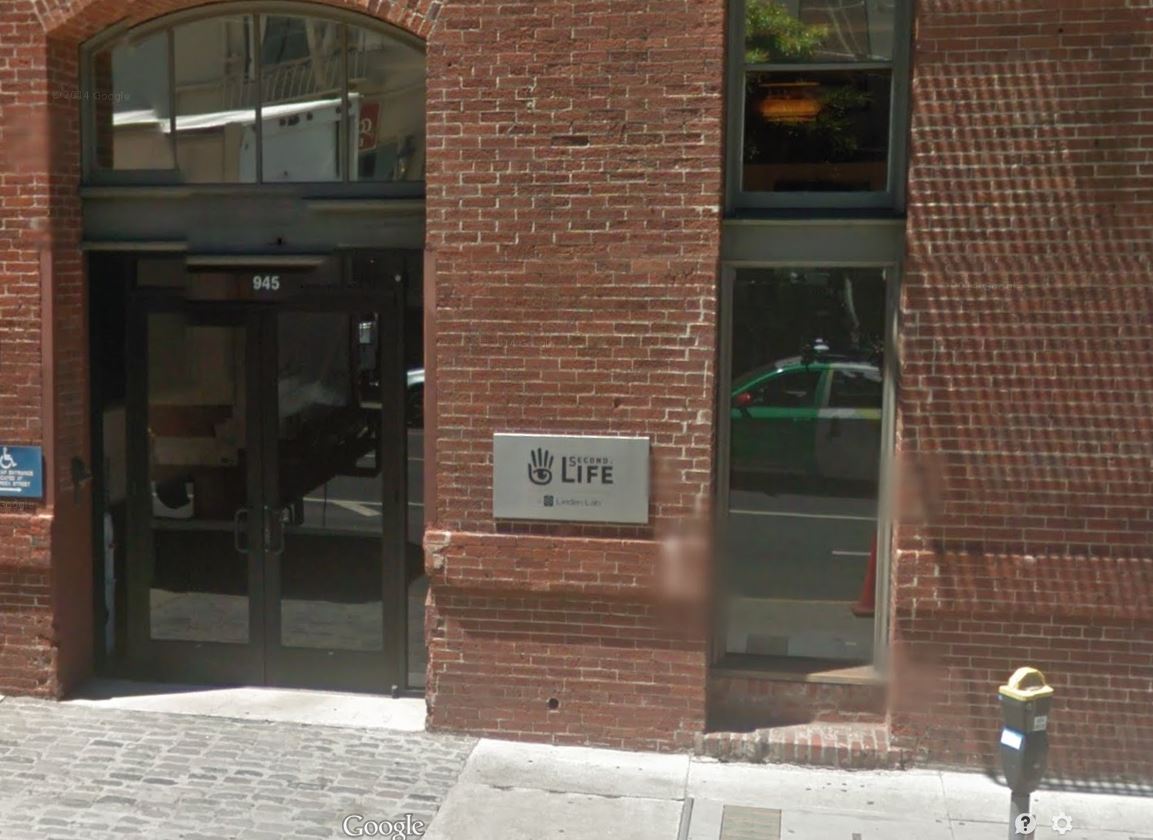
I pulled this from Google Maps. This unassuming building is home to Linden Labs in San Francisco. I thought it would be fun to post it here! Enjoy!

ImageOn another quick note, Linden Labs has put out a Schedued Maintenance report on the Grid Status website. Be aware of this for tomorrow morning:

[Posted 3:27 PM, 27 May 2014] The Second Life Service will be closed for logins for approximately one hour on Wednesday, May 28 beginning at 6am PDT.

Residents in world will not be logged out, but may experience loss of supporting services such as search and inventory. New logins will not be accepted, and Residents in world should not attempt to transfer or manipulate L$ or valuable (no-copy) assets until the ALL CLEAR is given.

See you in world!

I remain respectfully yours,

~Suzanne Piers, ZoHa Islands Social Media Manager


MadPea’s Lost Mine Hunt ~ Part 3

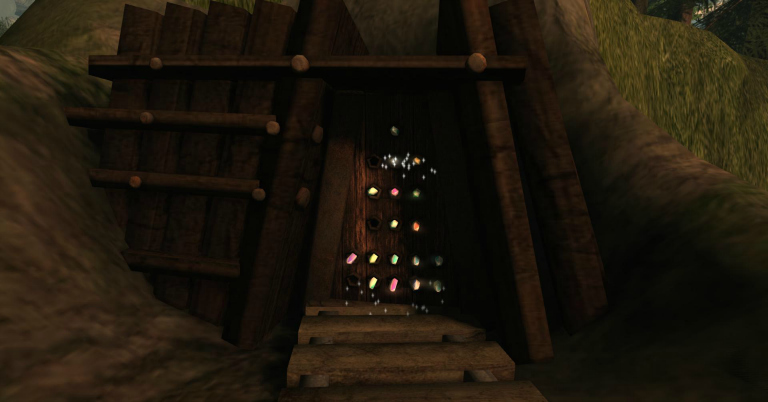
After collecting all the crystals, I returned to the mine entrance, and as I clicked on it, it swung open, inviting me inside. I thought to myself, “Ahh this must be the end. Now I’ll be collecting my goodies!” Alas, once again I was very pleasantly surprised!

Here’s what the mine entrance looked like as the crystals activated it:
Mine entrance with crystals cropped

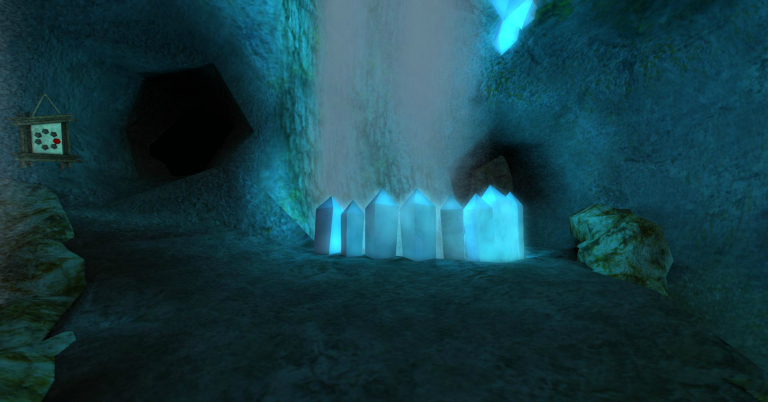
As I strode forward, it automatically TP’d me to deep inside the mine, and it was breathtakingly beautiful. The crystals glowed blue, and I gazed around in awe.

Lost Mine Crystals cropped

My HUD had changed once again, I smiled gleefully to myself, realizing that I was not yet done with this hunt, and it had just gotten interesting! My little pink helper had gone silent, so I knew that this third part I was on my own. I rubbed my hands gleefully and proceeded forward. Looking at my HUD, I knew I was going to have to collect seven gems, without my helper, and a rabbit’s warren of tunnels to explore. This was going to be challenging and fun! I was not disappointed.

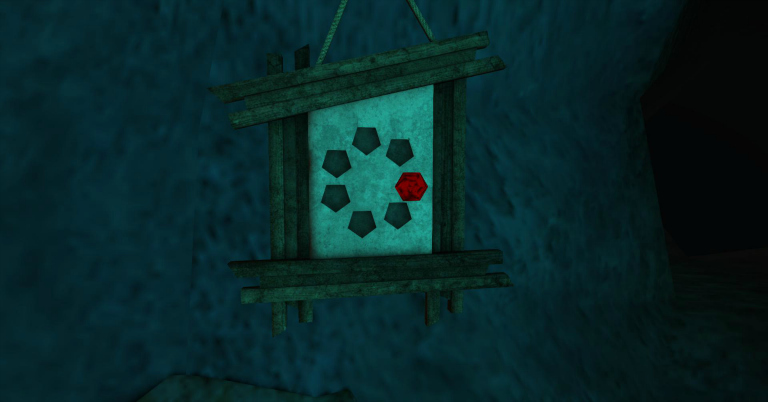
I had to wander the tunnels, to find seven of these signs, which upon clicking would collect a gem, and when my collection was complete, I would be able to find the treasure.
Inside mine collection point cropped

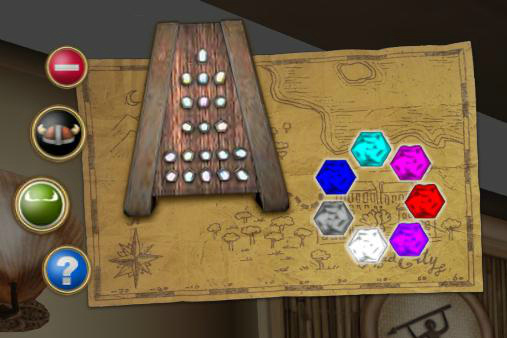
When I was finished, my HUD looked like this:
Final look of hud cropped

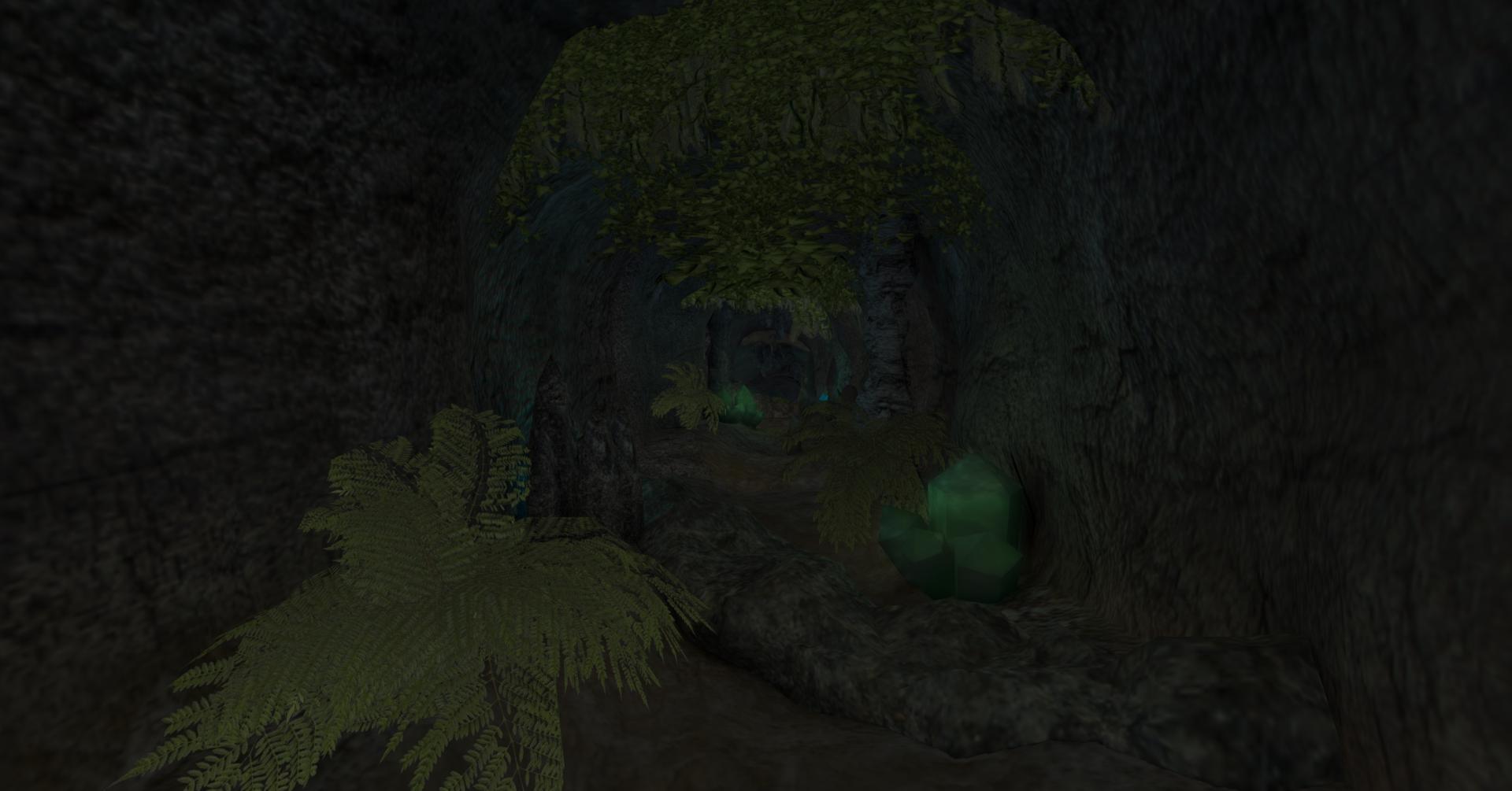
Meanwhile, I had to hunt for and collect all seven gems. This third part of the Lost Mine Hunt is truly one of MadPea’s very best yet! It is a masterpiece of illusion, games, and puzzles. The textures were amazing, and the ambiance was haunting, as the mine whistled with eerie wind. You would occasionally hear the flap of some creature’s wings (bats, perhaps??) and the dripping of water echoing. That, combined with the half darkness of the tunnels made you feel like you were truly inside a cave.

inside mine more tunnels_001

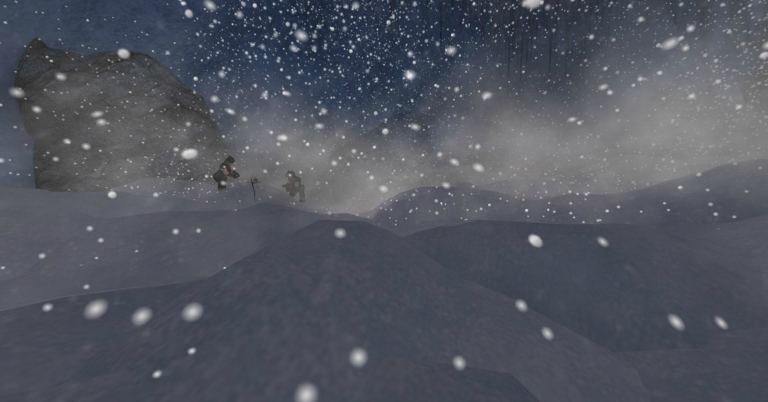
As you wandered the tunnels, there were roadblocks in the form of puzzles. One was a door, and I had to rotate the pieces of the puzzle until they aligned, and the door opened into this, where I had to search for one of the gem signs:
Winter Wonderland in Mine cropped

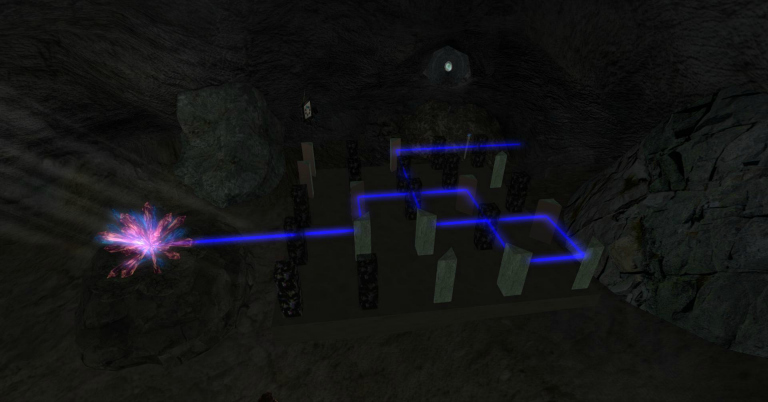
At another point, I fell through the floor and landed in this cave, where I had to solve this laser puzzle, so the laser went through the mirror and opened the door. Don’t worry this isn’t a spoiler; this is definitely not the solution! You have to turn the pieces so the laser pierces the mirror.
inside mine laser maze cropped

At one point, I had to hop onto floating rocks as I searched for the gems. Several times, I got turned around, and ended up clicking on the map, which teleported me back to the mine entrance, and I began from the beginning, until I finally found that final elusive gem. For me, the hardest one to find was the silver gem.

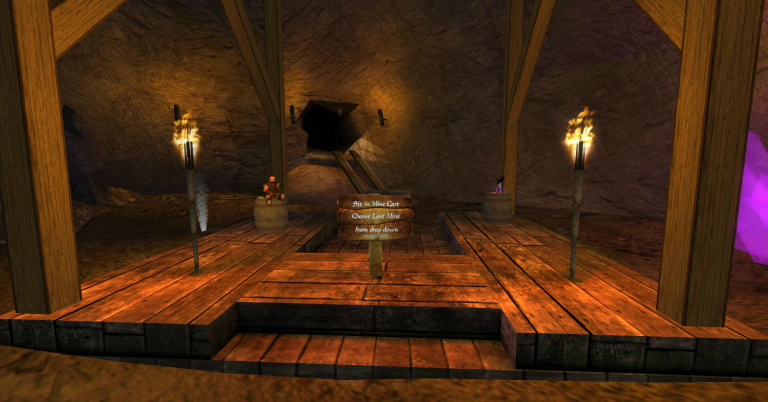
Once my gem collection was complete, I headed for the final destination, which was blocked until I solved a water puzzle, where two tanks of water could be filled and emptied until you were able to get the right balance. The gate opened, and I ended up in this room, where I grabbed a mine car, and it rode me through the mine until it dumped me out in the treasure room, where I collected all 21 of my prizes.

Mine cart ride to the treasure cropped

I won’t show you the treasure room; you’re going to have to see it for yourself! 🙂 The prizes were wonderful and so much fun to go home and unpack.

This was my favorite MadPea hunt ever! I loved it, especially the end. Don’t miss this one; you will be disappointed if you do! I’m already looking forward to the next one! Great job, MadPea! Thanks for making our SL so much fun!

I remain respectfully yours,
~ Suzanne Piers
ZI Social Media Manager

MadPea’s Lost Mine Hunt ~ Part 1

MadPea Productions croppedI am not normally a huge fan of hunts, because they are simply a gratuitous attempt to get people to come into stores. It’s a great advertising gimmick, but I find the hunts frustrating as people crowd into a sim, pushing and shoving to try to get the prize. It reminds me of the basement sales at Macy’s and crazy women grabbing the same sweater and fighting over it. Not that I’ve ever done that. *Ahem*

However, one of the organizations in SL that takes hunts to the next level and is consistently and unfailingly over the top is MadPea Productions. I first stumbled across MadPea Productions a few years ago when I was between relationships and bored in SL and trying to find something to do. These diabolical and intricately woven, highly detailed games are way more than just a simple hunt. The point of these hunts is to showcase products by the game’s sponsors; of course. But the game is what the players come for. The rewards at the end are just icing on the cake.

MadPea Productions spends months on their productions. And productions is certainly what they are. They carefully craft a back story, and create the convoluted and fascinating journey through whatever trails led by the clues you collect along the way. Just when you think you’ve got a handle on it, it takes a twist and you are not quite through! I always feel a sense of exhilaration when I finish, along with a sense of disappointment that it’s over, because it is so exciting and intellectually challenging.

Lost Mine 2 entrance croppedThe Lost Mine Hunt is no exception, and it did not disappoint. At first, however, I was a bit concerned that it was not going to live up to previously held high expectations. Then, as I got deeper into the game, I realized that it was much more than the deceptively simple beginning.

Lost Mine 3 croppedThe game is divided into three parts. When you first land at the landing point, you are required to invest $150L in the HUD. The hours of entertainment you will derive from this investment is well worth the $150L, believe me. This time, you also can opt in to purchase the collecting pouch (more for show than anything) and new to this game, was an “assistant”, which, they readily admit, allows you a “huge advantage” in the game. This “assistant” (a cute round ball with arms and legs and big eyes — mine was pink) susses out where the clues are and tells you in local chat (that only you can see, so you don’t spoil it for others on the hunt who don’t want to do it with a cheat) when you’re getting close.

Lost Mine 7 helper cropped

Here I am with my faithful assistant by my side:
Lost mine 8 hud before cropped

The instructions you are given is that you are to find pieces of the map to the mine, which have been torn up, crumpled, and scattered throughout the town. Normally, I wouldn’t use a “cheat” such as the assistant in the hunt, but I was low on time as I had a blog deadline to keep, so I attached my assistant and off we went. At first, with the assistant telling me “No objects close by within 20 meters” every few seconds, I wandered the sim, waiting for my assistant to sound the alarm, which she did and I could zero in on the object with her instructions until she finally said “OOOH! You’re sooo close! It should be right next to you! (less than 5m).” At which point I would look around nearby until I found the crumpled paper. When I clicked on the pieces, my avi would bend down, swoop up the piece of paper and stuff it in her pouch. And a piece of the map would fill in on my HUD.

Lost Mine 6 rainy street croppedSounds simple, right? Especially with the assistant telling you where to zero in on. But no, not with MadPea. First of all, the sim is dark and rainy (don’t cheat and change your windlight settings!). Secondly, other people are out hunting nearby, and if they swoop in and pick up the piece of paper you just found before you do, then you’re out of luck! It disappears. My recommendation is try to go when fewer people are there, and if there are other hunters nearby, find a different area and hunt by yourself. I found myself frustrated over and over again as others picked up papers I’d just zeroed in on. (But don’t worry; come back in a few minutes and it will have reappeared).

When I picked up all the map pieces, my map transformed into a solid map, and I thought to myself, “Ahh then I must be done. The map will take me to the treasure, where I’ll pick up my prizes from the sponsors. Hmm kind of short and disappointing, but still fun,” I thought to myself.

But alas! I was hardly done. In fact, I’d just finished just part one, and little did I know that Part 2 and Part 3 were coming! When the map was finished, it said in local chat to click on the map and it would teleport me. I clicked on it, expecting to come to the end, and instead I stepped out into this beautiful forest setting, where Dwarfins live.

Stay tuned — Part 2 of 3 of MadPea’s Lost Mine Hunt!

I remain respectfully yours,

~ Suzanne Piers, ZI Social Media Manager

Meet Your ZoHa Islands Staff Part Six!

To continue our profiling of our amazing ZI staffers, here are two more: Melly Belly, and Katara Adored.

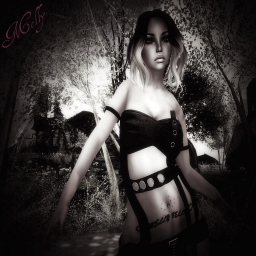
Melly Belly (MelonyRose Resident): Sales Agent

MellyBelly resizedMelly has been in SL for five years. When asked what brought her into SL, her reasons are very familiar, as many of us have had the same experience. She says, “I wanted to just try a different game and got sucked in.”

Melly has been with ZoHa Islands about a month and works as a sales agent. In her off hours, Melly enjoys hanging out with friends, going clubbing, and watching movies. She also loves to explore new places, also.

–•~~❤~~•–

  Katara Adored: Tier reminders and set ups

Katara Adored resizedKatara has been in SL for four years and seven months. She says she came into SL because a RL friend of hers told her about the game and so she had to come check it out (secretly it was for the porn, but I’m not supposed to put that. Shhhh…). Like many of us, she was very confused upon first logging in, and she nearly quit because she couldn’t figure out how to get off of Noob Island. It took her three tries but she finally made it, and from then on she was hooked! She’s been coming back ever since.

When asked how long she’s worked for ZI, Katara says, “This time around I’ve been with ZI since August doing all sorts of stuff.  I started off as just an agent like most everyone here has, and then they had me doing the set ups, preparing the land people give up so that other people can rent it.  That was in September, I think.  In October I got my manager position I had been bugging Deuce about.  He was worried I wouldn’t be able to handle set ups and EM work but I did both up until last month when we got all the new Bonaire land.  Since then I have been doing tier reminders and set ups exclusively.  Its a seven day a week job but I love it.” Katara used to work for ZI a couple of years ago as a sales agent, but the timing was off because she had so much going on in RL, so she quit for a bit. We’re glad she’s back!

Other jobs that Katara has had in SL include working for WRE and another small land company several years ago. She has also worked as a host manager for a techno club not long after she first rezzed, and as a dancer after that. However, she quickly grew bored and quit not long after she started. She has also had several businesses of her own in SL, either by herself or with friends. She says, “All have been a sucess, but I like to hop around so much to keep entertained that I’d swap out one for another at the drop of a hat.” She has had a full service wedding business, neko tail store, train a pet monkey clothes, & mesh clothes.  Currently she and co-worker KittyKat Jules run a mesh clothing shop called Pixel Snobs.

When not working in SL, Katara likes to log in and talk with her friends. She says she sometimes checks the destination guide to see whats new and interesting.

In RL, Katara is married but currently separated.  She has a wonderful little boy, who is a mini gamer just like she is.  Katara says, “I am really big into gaming, mostly PC and Nintendo, even if my son keeps pushing me to play the Xbox.  One of my favorite games is Minecraft, and I’ve been addicted to it since I started watching the YouTube videos a couple years ago. That is another hobby of mine… watching other gamers play Minecraft and other video games on YouTube.  Some people have their reality shows… I have my YouTube’rs to watch.  My addiction has gotten so bad that I have started making videos and posting them myself just last week.  This makes my son very happy, since he watches YouTube gaming videos almost as often as I do.  He now thinks that I am a famous gamer only after two videos! So I will keep posting videos even if he is the only one that ever thinks I’m a super star.”

And truly you can’t ask for more than that; to be a superstar in the eyes of your child!

–•~~❤~~•–

That’s it for this installment of Meet Your ZI Staff. Hope everyone has a great day!

As always, I remain respectfully yours,

~ Suzanne Piers, ZI Social Media Manager