“For many years, the Cornfield was a region of mythological status, where once naughty avatars were sent to think about what they had done. Rumor had it that “The Cornfield” was a vast star-lit field of corn and was cut off from communication with the rest of the world. Over the years, rumors spread across the grid of this infamous region that everyone at one time had heard about, but hardly anyone had ever seen. It was thought to be nothing but a tale…that is until now…
Present day…
A group of young explorers set out one day to explore. They teleported to the farthest reaches of the grid, when suddenly their screens went blank and their shoes went where they should never humanly ever go. All of a sudden, their screens flashed bright, and they found themselves dazed and confused inside an old creepy barn.
The barn seemed abandoned. Creaks and strange noises startled them. They could not find a way out back to humanity. They saw some baskets laying on the floor, so they picked them up, and dared to venture outside. The air was thick, and everything to be seen was enveloped in a strange, eerie mist. A huge cornfield spread out wide in front of them. The corn rustled as if something was out there…something not quite human.
As darkness approached, the strange noises grew louder, and the rustling increased. They looked at each other, faces pale in the moonlight. One of them grabbed a plank for she knew something bad was about to happen. They looked at each other once more, knowing what had to be done, and one by one, they entered the Cornfield…”
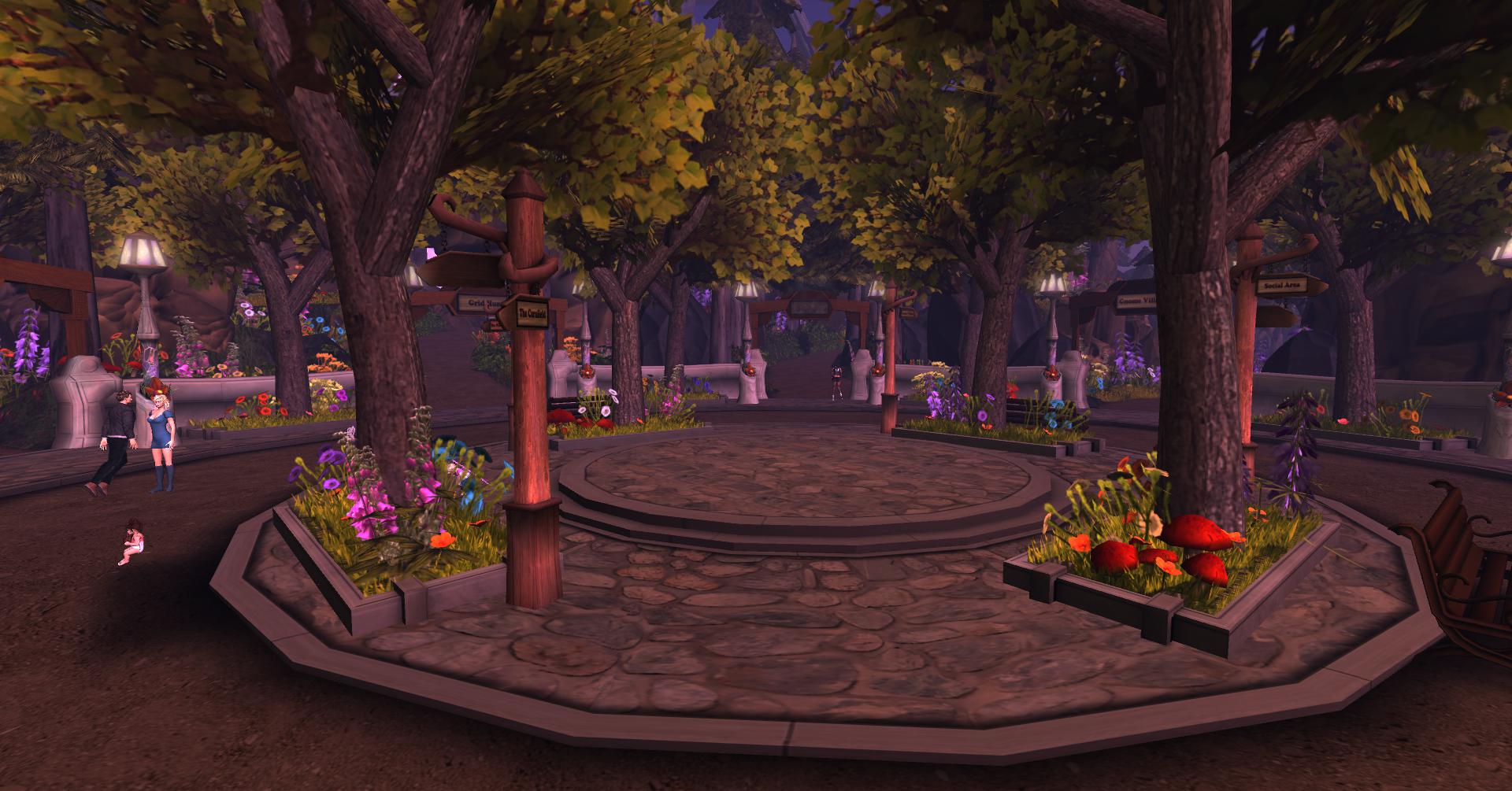 Since the Cornfield was developed using Experience Keys technology, I decided to go visit the sim. I’m not too much into horror films or anything else, but I was curious. When you tp in you actually land at a Portal Park, where you can enter several interactive games including The Cornfield. Also at the Portal Park is the entrance to the Tea Party, Linden Realms, The Wilderness, Grid Hunt, Gnome Village and Social Area.
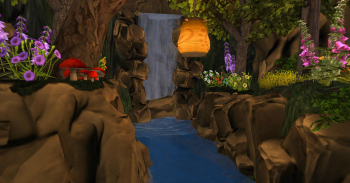 I walked down the entrance to The Cornfield. There were spooky sounds and rustling noises, a cawing crow. The lighting is eerie.
  As I arrived at the barn, which houses the entrance to the Cornfield, I kept looking around for the item giver to click, so I could attach the hud. I am so used to having to click and get the items I completely forgot it was using experience keys! It asked me once if I gave blanket permissions for attaching these items and after one click on yes, the rest just happened automatically upon porting through the door to the Cornfield.
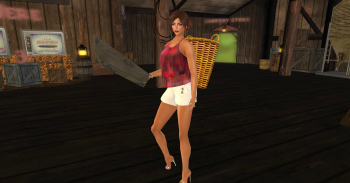
 When you walk through the barn, you see the door to the cornfield. All you do is walk through the door and it automatically teleports you (because you’ve already given it blanket permissions through experience keys) to the cornfield itself. Again, because of experience keys, you land on the ground and a HUD attaches to your screen, and a collector basket to your back and a weapon in your hand — a board.

 There are several notecards that you would be wise to collect once you TP through the door that offer you tips on the game. I personally didn’t remove or turn off my ao; I don’t like walking around like a duck. I’m not sure how taking off your ao helps in the game, but I didn’t do it so I wouldn’t know. I do, however, recommend that you take their advice and turn off “double click tp” in your preferences. I always have the setting so that “double click” in a parcel will move me to that spot via teleport (which sometimes thwarts me when store owners or land owners have their settings set to landing point only, which means that double clicking will only teleport you to the landing point, resulting in great frustration on my part when trying to get to a specific spot. I like to cam around, pick a spot to go and double click to TP there. But that’s another post for another day). In this game, when you swing your weapon, you use a mouse click to swing it, so if you have it set so double click on land teleports you to that point, when you won’t be able to kill griefers because it will constantly try to teleport you. So a word to the wise — turn that off for this game.
Here’s how you do that:
* Go to the top toolbar and select “Me”, “Preferences”, “Move and View”, and set “Single click on land” and “Double click on land” to “No action”.
It also asks you to use the region’s windlight settings and not “cheat” by having your settings on daylight. In addition, it recommends using mouselook, basically like most combat sims do. It’s easier in some ways in mouselook, and harder in other ways. Part of the game play is to collect as many corn as you can, while beating off griefers (not real SL griefers; these are what they call the bad guy in this game and they are apparitions controlled by the scripting in the game; not by someone behind an avatar (at least I don’t think so).
 The point of the game is you are to collect as much corn as you can and turn them in to the bin in the barn for points. The more points you get, you can use these points to purchase better weapons and better armor in the store. With better weapons you can kill more griefers. With better armor, you can better resist a griefer. If a griefer kills you, you lose the corn you’ve collected (not the corn in the bin; just what is registered in your hud) and teleported to the graveyard at the beginning of the game.
This is where the difference between mouselook and regular view come into play. In mouselook, you get a real immserive first person view of the game. In regular view, you can more easily see griefers that come up behind you.
While the gameplay is relatively simple, in reality it is more difficult than it looks. It’s a lot of fun, although a bit spooky for me. I think that the more you play the better you will get at it, and obviously the better your weapons and armor, the easier it will be to fight off the greifers.
Here is some of the information from the game:

HUD:
The HUD will show you all the current game information:
• Amount of Corn Bucks collected.
• Amount of Corn collected. Maximum is 20 pieces of Corn. After that, you have to empty your basket at the Corn Bins.
• Amount of Health you have, according to how much damage you have taken, and how much armor you are wearing.
• Weapons – Select from a choice of weapons that you have purchased from the Company Store.
• Help – Get a help notecard.
• Plus/Minus – Minimize/Maximize HUD.
And here is the instructions that are handed out:
GAMEPLAY:
– Use your arrow keys to move around.
– Left click to shoot your weapon.
– Go around the Cornfield, and collect Corn, and Corn Bucks.
– Walk over the Corn, Corn Bucks, or Moonshine to collect them.
– The HUD will show how much you have collected, and will tell you when your basket is full.
– Moonshine gives you extra Health, up to the value of the armor you are wearing.
– Once your basket is full, go back to the barn, and click on the Corn Bins to turn your Corn into Corn Bucks.
– If you are in Mouselook, press “ESC” to return to normal view to click on the Corn Bins.
– Your name, the amount of Corn collected, and Corn Bucks earned will be displayed on the Leader Board inside the barn.
– The Leader Board shows the current top 5 players.
– Take the Portal to the Company Store to buy prizes, powerups, armor, and better weapons with your Corn Bucks.
– Check back often in the Company Sore for new prizes.
– You can left click with your mouse to use your weapon, and temporarily stop the Griefers from getting you.
– If you hit a Griefer enough, you can kill it. It may even drop a Corn Buck.
– The HUD will show how much Health you have.
– The more armor you buy, the higher your health capacity will be. (The total amount of health bars you can heal up to).
– There are hiding places around the Cornfield. So if you are being chased, you can run to them, and click on them to hide.
– If you hit a Griefer a lot, they can die. If they get you, you will die, and appear in the Graveyard.
– When you die, you loose the Corn you have collected. That Corn will now be on the ground in the spot where you had died, and it can
be collected by yourself, or any other player.
– At night, a Moonshine Still rezzes randomly in the Cornfield. Sit on this to restore to full health.
The Cornfield is worth visiting…if you have the nerve! And the experience keys make it amazingly easy. Once you give permissions, you do not have to give it again. When I visited a second time, I didn’t even have to click once. Experience keys remembers your choice. Should you decide to do so, you can revoke permissions.
I remain respectfully yours,
~ Suzanne Piers
Zoha Islands Social Media Manager