
How to fix viewer slow rezzing issues.

This post is about how to fix slow rezzing issues in the firestorm and SL viewer.

If things around you remain grey for a long time, or attachments take a long time to pop into position (clothing or other items float around you), this is essentially because the data has not yet been sent to your viewer. There are a number of possible causes, and a number of solutions or at least work-arounds:

  • If you have Webroot SecureAnywhere antivirus installed, refer to this page.
  • Power down your router and/or modem. This generally means unplugging it from the power source. Leave them disconnected for at least a full minute before reconnecting. Wait for them to complete the power up sequence, then reboot your computer.
  • Teleport out, then back in.
  • The region is badly lagged (many avatars present, too many scripts running, etc.) and so the region server is using all its time processing and has very little time left over to deliver textures and other data to you. The best way to cope with this is to reduce the demand you make; in other words, reduce your draw distance, even to 12m or less, and wait until textures and objects have loaded before you increase it again.
  • You are experiencing packet loss or, more generally, have a poor network connection. Or your bandwidth slider may be set too high. Bring up the stats bar with Ctrl-Shift-1 and check Packet Loss and Ping Sim. Ideally, packet loss should be 0.0%, and Ping Sim under 200ms.
  • Determine optimal bandwidth: refer here.
  • You can also try to have less textures draw all at once by reducing draw distance when you teleport. You can do this manually, or make use of the built in Progressive Draw Distance function.
  • HTTP fetching may be overloading your router; please try the suggestions given here; if they do not help, revert the changes made then return to this page and continue.
  • Another possibility is that DNS look-up is failing. Try changing DNS to google; see this page for details.
  • Some other program on your computer might be interfering with your viewer’s connection to SL, like a firewall or anti-virus. Try disabling them temporarily, to see if things improve. If they do, you have isolated the problem. Whitelisting the viewer and cache folder would probably help.
  • It has been reported that on Windows, the Aero background theme will also lead to textures refusing to rez, due to how much memory this feature consumes. Uninstalling that should help.
  • If textures remain blurry or grey, make sure that Preferences → Graphics → Hardware Settings → Enable Lossy Texture Compression is off.
  • If mesh items, specifically, never rez, see Mesh Issues.
  • Several creators recommend specific settings in order for you to be able to better see their products. Sadly, some of these recommendations will lead to many people crashing more or having other issues, including very slow rez. Please see this page for more.
  • SecondLife Viewer

    To rez an object is to create it using the build tools or make it appear inworld by dragging it from your inventory.  If you are having trouble rezzing an object from your inventory, there may be several possible causes, addressed in this article.

    No build land

    If you are unable to rez an object, the land you are dropping the object may not allow building.  Note that building restrictions may be set by landowners on a per-parcel or per-region basis.

    When you are on no build land, a small icon appears in the Viewer’s location bar: no build icon.png.  If you see this icon, try moving to a different parcel or region that does allow building.

    Download queue for region stuck

    When you drop an item inword from your inventory, the object is placed in a queue to be downloaded from Linden Lab’s central file server. If the size of this queue is very large, downloads may be extremely slow or altgteher interrupted. To see the size of the download queue:

    1. Enable the Advanced menu: World > Show > Advanced Menu.
    2. Select Advanced > Performance Tools > Statistics Bar.
    3. Click Advanced in the STATISTICS bar and scroll down to Pending Downloads (in the Simulator section).

    If the Pending Downloads number is high, try moving to another region. If the number falling, or zero, this is not the problem.

    If your download queue is high and never falls, please file a support ticket.

    Scripted objects are too far away

    Some scripted objects do not appear if you are too far away, even if they are within your viewer’s draw distance. If the object you are trying to view has a script in it, try moving closer to it until it appears.

    Other solutions

    Here are a few more things to try if you cannot see inventory objects inworld:

    1. Choose Me > Preferences. The PREFERENCES window opens.
    2. Click the Graphics tab.
    3. Click the Advanced button.
    4. Move the Draw distance slider all the way to the left.

    Increase the Second Life Viewer’s cache and bandwidth

    1. Choose Me > Preferences. The PREFERENCES window opens.
    2. Click the Advanced tab.
    3. Increase the Cache size.
    4. Click the Setup tab.
    5. Move the Maximum bandwith slider to the right.
    Important: Setting Maximum bandwidth too high can have adverse effects on your Second Life experience. Try increasing maximum bandwidth a little at a time.
    Don’t forget to check out our deals and discounts
    And Like Us On Facebook Zoha Islands
    Have a great week from all of us at Zoha Islands and Fruit Islands.
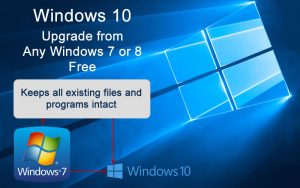
Yes, You Can Still Get Windows 10 For Free

If you are running anything other than Windows 10 remember Linden Labs will not support it anymore and you Must UPGRADE. January 14 2020 was the ‘end of support’ date for Windows 7. The last ‘official’ day to get a free upgrade from Windows 7 to Windows 10 was July 29, 2016. Many of us chose to let that opportunity pass, for a variety of reasons. Maybe you saw no need to upgrade, maybe it was reports of bugs in the new OS, or perhaps you just got busy and missed the deadline. Or did you? Now, over three years later, there is still a path to upgrade your Windows 7 computer to Windows 10 for free. I tried it, and successfully upgraded a Windows 7 computer. Here’s the scoop…

Free Windows 10 Upgrades From Windows 7 or 8.1


You’ve probably heard that Windows 7 reached “end of life” on 01/14/2020. That did NOT mean that your Windows 7 computer stopped working on January 15, 2020. It does mean that you won’t receive any further Windows security updates, and that’s a very good to say goodbye to this 10-year-old operating system.

So can you still get Windows 10 for free? Why yes, you can. Microsoft, by design or accident, has left open a path to a free, legitimate license of Windows 10 for users moving from Windows 7 or 8.1. (This assumes you have a legal, activated version of Windows now.) We’ll go over the steps, but there are a few preparations to make.

First, make a backup. It’s not likely, but when doing a major system upgrade, things can go wrong. Or you might not like the brave new world of Windows 10. A full image backup will give you the option to “turn back the clock” and restore your computer to the exact state it was in before the upgrade.

Next, temporarily disconnect any external storage devices, such as external hard drives or USB flash drives. You can plug them back in after the upgrade, but in some scenarios, having them connected can cause problems.

You can initiate the upgrade at the Download Windows 10 page on the Microsoft website. On that page is the Media Creation Tool, which you can use to install Windows 10 using a DVD or USB flash drive. Click the blue “Download tool now” button. When the download is complete, run the Windows 10 setup program and select the “Upgrade this PC now” option. Follow the instructions, and you’ll end up with Windows 10.

There’s no need to dig up your Windows license key, or pull out your credit card. After the upgrade, you can confirm that you have a valid digital license for Windows 10 by going to Settings > Update & Security > Activation.

As I mentioned earlier, I tried this method on a computer of mine that was still running Windows 7, and it worked fine. I did notice one minor glitch. One of my third-party programs didn’t work, but after installing the latest version of Bitwise SSH Client, all was well. I found that the Windows 10 interface was quite similar to Windows 7, and didn’t require much of a learning curve. And Windows 10 does have a boatload of security improvements, including ransomware protection.

This method of upgrading to Windows 10 for free does not seem to be an oversight by Microsoft, because it’s been available for three and a half years. However, it may stop working without notice. My belief is that Microsoft would be pleased if you paid $119 for your Windows 10 license, but they’ll be content to have you continue as a Windows user. That gives them the opportunity to sell you other services, such as Microsoft Office 365 or One Drive cloud storage.

If you’ve been thinking about moving from Windows 7 to Windows 10, but the cost was holding you back, give this a try.

Have a great week from the staff at ZI and FI

Why Desktop PCs Just Won’t Die

Tablets and smartphones seem to be taking over the computing world. Tech pundits have been predicting the death of the personal computer for almost a decade, and there were predictions back in 2012 that within a few years you wouldn’t be able buy a desktop PC. Are PCs inevitably going the way of buggy whips? Here’s my take on why that’s that’s not going to happen any time soon…

The Desktop is Dead. Long Live the Desktop!

It’s true that mobile computing devices are gaining market share at the expense of desk bound PCs. But the number of PCs sold per year has remained remarkably stable for the past few years. This chart from Statista shows PC shipments worldwide from 2009 to 2019. There is a definite drop from the peaks in 2011-2012, but the last few years have shown little change in the total number of units sold.

There is steady demand for PCs — to the tune of about 250 million yearly — and it’s unlikely to go away. Here are five reasons why desktop PCs will not die:

Ergonomics: Tablets and smartphones literally cause pains in the neck when used for extended periods. They’re harder to use for typing than a desktop with an expansive keyboard. Their displays are smaller than those of typical desktop PCs. Fine cursor control is difficult or impossible on tablets and smartphones. Have you ever created a spreadsheet, presentation, or a 10-page document on a smartphone? When faced with a choice between mobility and comfort, mobility often wins. But when people don’t need mobility, they usually choose comfort over saving space.


Compute Power and Storage: Desktop PCs can accommodate faster, more powerful processors than mobile devices, and can control more peripherals simultaneously. They are almost infinitely expandable. If you need several terabytes of storage in a PC or Mac desktop, it’s not a problem. Tablets and smartphones can’t even come close, in either raw power or storage capability.


Work habits: When you really need to buckle down and crank out work, a desktop PC helps you get into the groove. It stays in a specific space called a “workspace” at home or office; just going there and sitting down at your “workstation” helps put you in a productive frame of mind. Conversely, when it’s time for a break you can escape your immobile desktop PC easily. You needn’t take time to pack up it and its cables, and you don’t have to lug it around while you’re not using it. But the mobile gadgets, with their incessant pings, beeps, and notifications will constantly demand your attention and distract you from getting things done.

One of the must-haves in my computing environment is dual-screen capability. Mobile devices are designed to be small and portable. So you’re never going to replicate a dual 24-inch monitor setup on a smartphone or tablet. Once you’ve had the experience (and productivity boost) of working on dual screens, you’ll find a single monitor setup (even with one large screen) very restrictive. I typically work with a web browser on one screen, and a word processor or spreadsheet on the other. Programmers benefit from having source code one monitor and the actual running program on the other.


Expand ability/Repair ability: If your desktop PC needs more RAM, you can open the case and pop it in. If you’ve outgrown your hard drive, you can swap in a larger one or just add a second one. Desktop and laptop computers use mostly commodity (off the shelf) parts, so if one component fails, you can find replacement parts and fix it yourself — usually with just a screwdriver. Hard drives, RAM memory, video cards, power supplies, monitors, the CPU and even the motherboard can be replaced without too much hassle. You can even use a different brand if you like.

But mobile devices such as your iPhone, iPad, or Android device are typically sealed up tight. You can’t replace or upgrade the SSD hard drive in your mobile device. If the screen cracks on your smartphone or tablet, you can’t just buy a new one. If any component breaks or fails, you’ll have to send it away for repairs, which may be more expensive than buying a new one. You can’t even replace the battery in most smartphones.

Finally, consider external peripherals. Try connecting a scanner, or an external hard drive to your mobile device. What about a second monitor? Where are the USB ports? Heck, it’s a hassle just to print something from a mobile phone or tablet.


Cost: Miniaturization is always more expensive. You will never see a tablet that costs as little as a PC of comparable capabilities. And as I mentioned before, getting a PC serviced is cheaper than comparable repair of a tablet, or even a smartphone.


I know I promised five reasons, but it’s always good to exceed expectations right? So here’s one more I thought of while putting together my thoughts on this topic.

Security: Have you noticed how many news reports of hacking and data losses involve mobile devices? Public WIFI is a security risk that most users don’t even understand. And it’s much easier to lose a smartphone than a desktop PC. Many employers restrict the loading of data onto mobile devices, and constantly struggle with network-connected mobile security risks.


Desktop PCs still have an important role in both home and business environments, and I just can’t see that changing for many years to come. For many, a good laptop is the ideal compromise between mobility and the advantages of a desktop PC. Of course, nothing prevents you from owning a desktop PC, a laptop, a tablet, and a smartphone — except your budget.

Have a great week from all of us at Zi And Fi

Top 15 Most Read & Shared Posts on AI, VR & Virtual Worlds for 2019

Another year comes to an end, and we thought we would share the top 15 stories about our virtual world just in case some of you missed them from our friends over at New World News.

My Top 15 Most Read & Shared Posts on AI, VR & Virtual Worlds for 2019

Roughly in chronological order:

6a00d8341bf74053ef022ad3bc5b52200d-800wi

From “Afrofuturist Artist Creates Stunning Portraits Of Black Artists With Deep Dream AI Algorithms

Watch: Machine Learning Music Composed From Re-Synthesized Fragments From 100s Of Terabytes Of LA Phil Recordings

From “Watch: Interview With Ebbe Altberg On The Future Of Second Life & Sansar”

Screen Shot 2019-12-27 at 1.42.15 PM

From “Things We Lost In The Flood: A New, Massively Multiplayer Loneliness Simulator Where Players Can Only Share Messages In Bottles With Each Other — And If Enough Players Win, Self-Destructs

Many more below!


From “Watch: Real World Location Virtually Recreated To Scale In Minutes

Why The Metaverse Needs Gameplay & Gameplay Mechanics

Linden Lab Hit By Wrongful Termination Lawsuit Alleging Discrimination & Retaliation For Raising Concerns About Its New Payment Service, Tilia

Linden Lab Officially Promoting Resource-Heavy Second Life Content That Drastically Hurts SL User Experience

Screen Shot 2019-12-27 at 1.41.19 PMFrom “How To Make Second Life Look Like This — Even On A 10 Year Old Computer

Blizzard Employees Strongly Support Company’s Punishment Of Hong Kong Advocate & Player Censorship Of Sensitive Chinese Topics – Blind Survey

Philip Rosedale Supports Andrew Yang For President, Suggests Ways To Implement Yang’s Freedom Dividend

VR Install Base As Of Q3 2019: Oculus Quest Just Below Half A Million, PSVR On Track To Pass 5 Million By The New Year

Despite $2.6 Billion In Funding, Magic Leap Sold Less AR Headsets Than Jeri Ellsworth’s Tilt 5 Kickstarter

John Carmack, VR Pioneer Who Once Described Developing VR As A “Moral Imperative”, No Longer Focused On Developing VR

Snowcrash Set To Become HBO Max Streaming Series, Will Ironically Compete With Actual Metaverses For Viewers

HAPPY NEW YEAR FROM ALL OF US AT Zoha Islands and Fruit Islands, We hope all will have a prosperous 2020. We will continue our best service to our current residents, And always in hopes of building new business with new residents.

The Christmas Truce

From all of us at Zoha Islands and Fruit islands to all of you. Have a very Merry Christmas and Happy New Year!

I chose to post this Christmas story as I found it inspirational for the times we live in this world today. May it find its way to inspire others around our globe and in our Second Life World.

Inspirational Christmas Story

The Christmas Truce
by David G. Stratman

From his book We Can Change the World

Inspirational Christmas Story

It was December 25, 1914, only 5 months into World War I. German, British, and French soldiers, already sick and tired of the senseless killing, disobeyed their superiors and fraternized with “the enemy” along two-thirds of the Western Front (a crime punishable by death in times of war). German troops held Christmas trees up out of the trenches with signs, “Merry Christmas.”

“You no shoot, we no shoot.” Thousands of troops streamed across a no-man’s land strewn with rotting corpses. They sang Christmas carols, exchanged photographs of loved ones back home, shared rations, played football, even roasted some pigs. Soldiers embraced men they had been trying to kill a few short hours before. They agreed to warn each other if the top brass forced them to fire their weapons, and to aim high.

A shudder ran through the high command on either side. Here was disaster in the making: soldiers declaring their brotherhood with each other and refusing to fight. Generals on both sides declared this spontaneous peacemaking to be treasonous and subject to court martial. By March 1915 the fraternization movement had been eradicated and the killing machine put back in full operation. By the time of the armistice in 1918, fifteen million would be slaughtered.

Not many people have heard the story of the Christmas Truce. On Christmas Day, 1988, a story in the Boston Globe mentioned that a local FM radio host played “Christmas in the Trenches,” a ballad about the Christmas Truce, several times and was startled by the effect. The song became the most requested recording during the holidays in Boston on several FM stations. “Even more startling than the number of requests I get is the reaction to the ballad afterward by callers who hadn’t heard it before,” said the radio host. “They telephone me deeply moved, sometimes in tears, asking, ‘What the hell did I just hear?’ ”

You can probably guess why the callers were in tears. The Christmas Truce story goes against most of what we have been taught about people. It gives us a glimpse of the world as we wish it could be and says, “This really happened once.” It reminds us of those thoughts we keep hidden away, out of range of the TV and newspaper stories that tell us how trivial and mean human life is. It is like hearing that our deepest wishes really are true: the world really could be different.

Christmas in The Trenches – Song

To listen to this inspirational Christmas story in song

Words & Music by John McCutcheon, c. 1984, John McCutcheon / Appalsong

This song is based on a true story from the front lines of World War I that I’ve heard many times. Ian Calhoun, a Scot, was the commanding officer of the British forces involved in the story. He was subsequently court-martialed for ‘consorting with the enemy’ and sentenced to death. Only George V spared him from that fate. — John McCutcheon

My name is Francis Toliver, I come from Liverpool.
Two years ago the war was waiting for me after school.
To Belgium and to Flanders, to Germany to here,
I fought for King and country I love dear.

‘Twas Christmas in the trenches, where the frost so bitter hung.
The frozen fields of France were still, no Christmas song was sung.
Our families back in England were toasting us that day,
Their brave and glorious lads so far away.

I was lying with my messmate on the cold and rocky ground,
When across the lines of battle came a most peculiar sound.
Says I, “Now listen up, me boys!” each soldier strained to hear,
As one young German voice sang out so clear.

“He’s singing bloody well, you know!” my partner says to me.
Soon, one by one, each German voice joined in harmony.
The cannons rested silent, the gas clouds rolled no more,
As Christmas brought us respite from the war.

As soon as they were finished and a reverent pause was spent,
“God Rest Ye Merry, Gentlemen” struck up some lads from Kent.
The next they sang was “Stille Nacht,” “‘Tis ‘Silent Night,'” says I,
And in two tongues one song filled up that sky.

“There’s someone coming towards us!” the front line sentry cried.
All sights were fixed on one lone figure trudging from their side.
His truce flag, like a Christmas star, shone on that plain so bright,
As he bravely strode unarmed into the night.

Then one by one on either side walked into No Man’s Land,
With neither gun nor bayonet we met there hand to hand.
We shared some secret brandy and wished each other well,

We traded chocolates, cigarettes, and photographs from home.
These sons and fathers far away from families of their own.
Young Sanders played his squeezebox and they had a violin,
This curious and unlikely band of men.

Soon daylight stole upon us and France was France once more.
With sad farewells we each began to settle back to war.
But the question haunted every heart that lived that wondrous night:
“Whose family have I fixed within my sights?”

‘Twas Christmas in the trenches where the frost so bitter hung.
The frozen fields of France were warmed as songs of peace were sung.
For the walls they’d kept between us to exact the work of war,
Had been crumbled and were gone forevermore.

My name is Francis Toliver, in Liverpool I dwell,
Each Christmas come since World War I, I’ve learned its lessons well,
That the ones who call the shots won’t be among the dead and lame,
And on each end of the rifle we’re the same.

Note: For an engaging movie based on this inspirational Christmas story, click here. For an article in a leading U.K. newspaper on one of the last survivors of the Christmas Truce, click here. For more on the history of the Christmas Truce, click here and here. For a highly decorated U.S. general describing how wars are waged largely to fill corporate coffers, click here.

See you next year from all of us at Zoha Islands and Fruit Islands We thank you all for another great year!

Here’s How to Clean Up Your Hard Drive

It’s December and another year is about to end and its time to check up on your PC. NOW BEFORE IT’S TOO LATE!

Are you running low on hard drive space? Does it take forever to find your files or do backups? Do you have lots of duplicate files? Maybe you’re getting that annoying LOW DISK SPACE message. Don’t ignore it, or your computer could soon begin to malfunction. Here are some free tools to clean up your hard drive and make sure your computer is running smoothly…

Clean Computer Clutter

Digital clutter can clog up your hard drive, slowing down normal operations and making it difficult to find the information you need. Unnecessary and duplicate files accumulate every time you use a computer. It’s good practice to clean out computer clutter every once in a while.

Of course it’s a problem if you have no room to store your music, photos, or videos on your hard drive, but low disk space can also adversely affect the performance of your computer. When your operating system runs out of RAM memory, it will try to create virtual memory by grabbing a chunk of hard drive space. If there is not enough space available, your applications may fail, or you may not be able to open large files.

Even worse, when you run low on disk space, Windows will begin to delete System Restore points, or even switch off the System Restore feature entirely. If restore points are missing, System Restore would not be able to undo changes made to your system for a specific time frame in the past.

Computer housecleaning should really start the day you turn on a new PC. Most computers come loaded with unnecessary and often unwanted programs. The software developers pay computer vendors to install their trialware on new PCs, hoping that new buyers will try and purchase. Among experienced users, such programs are known as “crapware”.

PC-Decrapifier is a free specialized uninstaller utility that scans any PC (new or used) for known crapware. One click is all it takes to uninstall all the crapware that PC-Decrapifier finds. The program also displays a list of all other applications on your system; you can check off any that you wish remove and PC-Crapifier will launch the standard Windows uninstaller. Just make sure and double check that it doesn’t remove any apps you DO want to keep.

NOTE: Don’t be fooled by sneaky “Download” ads that sometimes appear on the PCDecrapifier.com website. Click the BLUE “Download Now” button, or you could end up with the wrong program.

Some programs cannot be uninstalled by Windows, for various reasons. Others uninstall only partially, leaving behind folders and files that clutter your computer. Revo Uninstaller is an advanced uninstaller that removes even the most stubborn program. AppZapper is a similar program for Mac users.

More Hard Drive Cleaner Uppers

Web browsers generate a ton of digital detritus. Browsers store images, cookies, download histories, and other temporary files that they might need again. These files are handy but not strictly necessary. They don’t get cleaned up automatically, either. Utilities such as CCleaner
and Privazer sweep up browser clutter as well as other traces left on your computer by Windows.

Duplicate files are another form of digital clutter. Duplicates are especially common among music and image files. Utilities such as Auslogics Duplicate File Finder (FREE) use metadata to identify duplicates, or do a byte-by-byte comparison of files that have common names and sizes. EaseUS CleanGenius is a duplicate file finder for Mac OS X users.

Windows itself comes with a Disk Cleanup utility that many people find useful. It lets you select the disk(s) and user(s) whose files are to be tidied up. You can specify the types of files to be deleted, i. e., temporary files, downloaded ActiveX and Java program files, Service Pack backup files, etc. It won’t find duplicate files, however. From the “Computer” window, right-click a hard drive, select Properties, then click the Disk Cleanup button.

Here are some other tips that should work on any system to reduce the load on your hard drive:

  • Delete photos, videos and audio files you no longer need. These files can be HUGE sometimes.
  • Look through your Documents folder for old or unwanted word processor and spreadsheet files.
  • Clean up your email folders – Inbox, Sent, Trash, Junk, etc.

Here’s my secret weapon when it comes to really cleaning up a hard drive. JdiskReport is a disc usage analyzer for Windows, Linux and Mac OS X systems that visually represents the space taken up by various files and folders on your hard drive. You can use it to find large files, overstuffed folders, and other hard-to-find junk. WinDirStat (for Windows only) is similar, but displays the information about large files and folders in a “treemap” format that some people find very helpful. KDirStat is a Linux version of WinDirStat. Mac users may want to check out GrandPerspective, which does a similar job.

The Ultimate Hard Drive Solution  

If you plan on selling, giving away or disposing of your old computer system, you’ll want to ensure that your hard drive is truly clean, so that none of your sensitive files can be recovered. You can use free software like DBAN or K*llDisk to overwrite every piece of data on your hard drive with zeros. Now that’s a clean hard drive. If you’re really paranoid, destroy the hard drive with a drill press, a sledge hammer, or run it through an industrial shredder, as demonstrated in this video.

The amount of digital clutter that builds up on a computer varies greatly from one user to another. It depends on your uses of the machine and the Internet. Some people need to clean house every week or every month, while others can go longer without suffering any noticeable performance degradation.

I suggest that if you want your computer to run flawlessly CLEAN UP once a month and never have to worry about one day you precious PC does not start as it should.

Have a great week from all of us at Zoha Islands/Fruit Islands