Here’s Why Your Password is Hackable

Over the past two decades, password rules have become more complicated and burdensome upon users. Users have coped with arbitrary, byzantine password rules by creating the most easily remembered passwords that comply with the rules, changing them when required in minor, predictable ways, and reusing compliant passwords on multiple online accounts. The results include lots of frustration and LESS security. Here’s how to do it right…

Everything You Know About Passwords is Wrong

A typical site now requires you to create a password at least 8 characters long that includes at least three or four types of characters: upper-case, lower-case, numeral, and special characters such as !, @, #, etc. In most cases, the resulting password is exactly 8 characters long, begins with an upper-case character, and ends with an exclamation point or the numeral “1.” Often it’s a recognizable name associated with the user, such as a child’s or pet’s name. If a password needs to be changed, it’s often only the last character that’s changed, and in a predictable fashion, i. e., “1” becomes “2,” “!” becomes “@,” etc.

Hackers know these official rules, and the de facto rules that users have created to comply with the least effort. They have hundred of billions of stolen passwords from which to figure out the rules, and they incorporate the rules in password-cracking software to make it more efficient. They also have massive computing power that can try billions of possible passwords per hour. The upshot is that most passwords actually in use can be cracked in a matter of hours.

One solution to human predictability is password-generating software that produces longer, more random passwords, and password-management software that remembers what site a password goes with. These functions may be combined in one software package, such as Roboform, Dashlane or LastPass.

But many sites deliberately thwart the use of password managers, either by forcing users to enter usernames and passwords on two separate screens or by adding code that blocks auto-filling of passwords. Apparently, the admins of such sites think a password encrypted and stored on a hard drive is as insecure as one written on a Post-It Note.

Another solution to remembering strong passwords is mnemonic – a sentence that’s easily remembered because it makes grammatical sense, and which contains the characters of a password that can be extracted by applying a simple rule. For instance, a password might be the first letters of the sentence, “My horse knows how to use 2 pink staple guns.” In fact, that whole sentence would make a virtually impenetrable password, if the official rules allowed spaces.

This geeky cartoon from XKCD.com illustrates the difference between passwords as they are and as they could be, if sysadmins allowed it. Following the official rules results in a password that’s easily cracked in 3 days, while the phrase, “correct horse battery staple” takes 550 years, far longer than any hacker cares to spend.

What About Those Password Strength Meters?

Research has found that users will create stronger passwords if they receive feedback about password strength as they create a password. But so-called “strength meters” often measure only compliance with rules instead of statistical strength, according to researchers at Carnegie-Mellon University. The CMU geeks have created a strength meter that uses a powerful neural network to calculate the true strength of a hypothetical password on the spot, and even explains what’s wrong with your password creation strategy. The rules they recommend are:

  • At least 12 characters per password
  • Capitalized and special characters in the middle of the password, not at ends
  • No names associated with pets or sports teams
  • No song lyrics
  • Avoid the word “love” in any language
  • Avoid patterns such as “123,” including keyboard patterns (“qwertyasdfg”)

I advise using a password generator/manager wherever possible. They’re getting better at circumventing the security-limiting roadblocks that some website owners think are important. If you prefer not to use password software, a memorable phrase is the next best thing. In the past, I’ve used the first sentence from the first paragraph of a certain page in an old book. For example, on page 67 of “The Autobiography of Benjamin Franklin,” I found the phrase “There are Croakers in every country.” It’s memorable, and it makes for a strong password. Or as mentioned above, you can apply a formula of your choosing to such a phrase.

What’s your password strategy? Do you use a password manager, a sticky note, or keep it in your head?

Have A Great Week

Deuce Marjeta and the ZI Team
[ALERT] Change Your Passwords… NOW

Zoha Islands Wants To Send Our Thoughts And Prayers To All The Victims Of Hurricane IRMA. With The Devastation Still Ongoing We Hope All Are Safe And Well….


And now on with this weeks blog.

A spammer’s database of 711 million email addresses and passwords, including email server admin credentials, Second Life information and access to your L$, has been discovered on a wide-open Web server in the Netherlands. It’s the biggest trove of stolen identities yet found. But what’s really interesting – and frightening – is how it’s being used to circumvent spam filters and infect victims with malware. Here’s what you need to know, and do…

This Spam-bot Probably

Has Your Email Credentials

The database was discovered by a Paris-based security researcher who goes by the online handle of “Benkow.” He or she has spent months analyzing the data and tracing how it has been used. Benkow says at least 100,000 email accounts have been infected with the Ursnif banking malware via the “On liner” spam-bot that compiled and uses this massive database.

Ursnif scans a victim’s system looking for bank account login credentials in particular, but it will steal anything that looks like login credentials to email, e-commerce, social media, and other accounts. Ursnif uses an unusual technique to infect victims’ systems.

Most malware spam employs a file attachment that triggers the download and execution of malware when it is opened. But many users are (finally) cautious about opening attachments, even if they appear to come from trusted contacts. So On liner embeds an invisible URL in each HTML message it sends. When the message is opened, the URL fetches a pixel-sized image from the spammer’s master server; the tiny image also goes unnoticed.


Along with the URLs request for the image, it also sends info about the target machine, including its operating system and device info. This data tells the spammer whether the target is vulnerable to the Windows-based Ursnif malware. If not, there’s no point in sending Ursnif to that target, and doing so might raise unwanted attention.

Weeks or months after sending the probing email to millions of targets, Onliner sends another email with a disguised attachment to the few thousand Windows targets it has identified. The attachment may be presented as an invoice or some other important document. If the attachment is opened, a JavaScript is triggered that downloads Ursnif malware to infect the victim.

But Wait… There’s More!

Another clever trick allows On-liner to evade email servers’ spam filters. Many filters rely, at least in part, on lists of domains known to host spammers. But with the login credentials of an email server’s administrator account, On-liner can exempt its spam from being filtered. The database Benkow discovered contains over 80 million email servers’ admin credentials.

The database includes the admin credentials of 80 million email servers, which are used to spam 630 million email accounts. Onliner has been infecting victims with credential-stealing malware, but it could switch to “botnet” malware that enslaves victims’ computers to send spam, participate in denial-of-service attacks, and other shenanigans.

Here’s another troubling aspect of this situation. If a hacker has access to a compromised email address and password, they can do what’s called credential surfing. Many people use the same login credentials for multiple online accounts. So a hacker may use your email credentials and attempt to gain access to your online banking, social media, Paypal, eBay or other popular sites.

What You Should Do

On-liner goes to unusual lengths to avoid detection by spam filters and security researchers. You cannot rely on your mail provider’s spam filters to keep you safe. You can check the Have I Been Pwned database to see if your email address was present in this spammer database. But don’t be surprised, and don’t panic if it does. In fact, you should ASSUME your email address and password have been compromised.

You, the end user of email, are still the best and last line of defense. Here’s what I recommend:

  • Never click on an attachment without verifying who sent it, and why.
  • Change your email password every three months at least.
  • Use strong passwords, and never reuse passwords on multiple online accounts.
  • Use two-factor authentication whenever possible.

Have A Great Week

Deuce Marjeta

And the Zoha Islands team

Exciting Newness in the Works for Second Life from Linden Lab

So today upon doing my daily email check I noticed a new one from Second Life, it looks like some exciting changes are in the works for this new along with added support from our friends at Linden Lab.


Dear Second Life Residents,

It’s been an exciting summer at Linden Lab. Second Life celebrated its 14th anniversary, and shortly thereafter we also opened Sansar’s creator beta to the world. In addition, we are thrilled to announce a set of investments into Second Life and its communities that will include enhancements to our engineering support, customer support, billing systems and upgrades, and customer acquisition outreach. In all, we’ve budgeted many millions (USD, not L$…) in the coming year to make SL even better, and we’ll keep everyone up to date on improvements as they roll out (or sooner).

This summer’s milestones have given us all another opportunity to reflect on just how strong the Second Life community is, what an incredible history SL has had so far, and what an amazing future lies ahead for the virtual world and its Residents.

For more than 14 years, you’ve created memorable experiences, diverse communities, close relationships, thriving economies, engaging art, exciting events, and amazing creations of all kinds. You’ve made the world, and we’re proud to provide the platform and tools that help you to do so. We at Linden continue to be impressed by what we witness from Residents every day, and we want you to know that we share that commitment to and love for Second Life.
Here are a few of the things you can look forward to soon:

• We are hard at work upgrading all of the SL infrastructure and moving it to the cloud, which will bring a wealth of opportunities to Residents near and far, and allow us, among many other things, to make SL more performant for Residents across the world from us. It may also allow us to introduce new products with more flexible pricing.
• We’re working on several features to increase the value of Premium subscriptions. Most recently we gave Premium members priority access to near-full events, and shortly, we’ll be ready to unveil another bit of exciting news for subscribers.
• We’re building out a series of great extensions to Windlight (code name: EEP!), which will give value, flexibility, and new marketability to land, and will make Windlight settings tradeable assets.
• We have an extension to the animation system in the works (code name: Animesh) that will allow non-avatar objects to use more powerful and efficient skeletal animations the way avatars can today, and even more changes planned for creators and merchants later in the year.
• We’ve also got new experiences and events coming. An exciting new grid-wide gaming experience is coming soon! The team can’t wait to share the details with you in just a few days. Also in the works for this fall is an updated Halloween Haunted Tour, with new spooktacular events to celebrate. Not to mention, we’re turning 15 next year – SL15B, baby! That’s an incredible milestone and we are looking forward to collaborating with you to produce an amazing celebration.

Long live Second Life and long live the creative process in the amazing worlds that you’ve trail-blazed! Thank you for filling SL with your creations and communities all of these past 14+ years, and here’s to many, many more together.

Best,
Ebbe Linden, CEO & the Second Life Team

Arcade ~ September 2017 Is Almost HERE!

Arcade is just around the corner – you know what that means….save those Lindens and get that tier paid up in advance for the carnage your SL wallet is about to endure!

Here is your preview of what is available this quarterly round at The Arcade!

ABOUT THE EVENT (credit: The Arcade Event site)

The Arcade was founded in September of 2012 by Second Life residents, Octagons Yazimoto, Katharine McGinnis, Emery Milneaux and Umberto Giano. Currently, the quarterly gacha event features 100 of the grid’s best designers and builders, each whom offer a collection of high-quality prizes sold at random from gacha machines within The Arcade’s build.

Set in a seaside build that evokes the whimsical feel of the penny arcades of early 1900’s Coney Island and Brighton Pier, The Arcade strives to present a nostalgic atmosphere that welcomes an audience seeking great gacha prizes, and continues to be a favorite destination for photographers and enthusiasts of vintage architecture.

With events planned in June, September, December and March, The Arcade features an eclectic mix of designers with proven quality. Content creators are invited because of their demonstrated commitment to the quality of their merchandise and unique perspectives as artists. The result is a well-rounded collection of must-have attire, goods and novelties to delight and enthrall shoppers. Guests will discover there’s something special for everyone at The Arcade.

Sarahah App Phenomena – Friend or Foe?

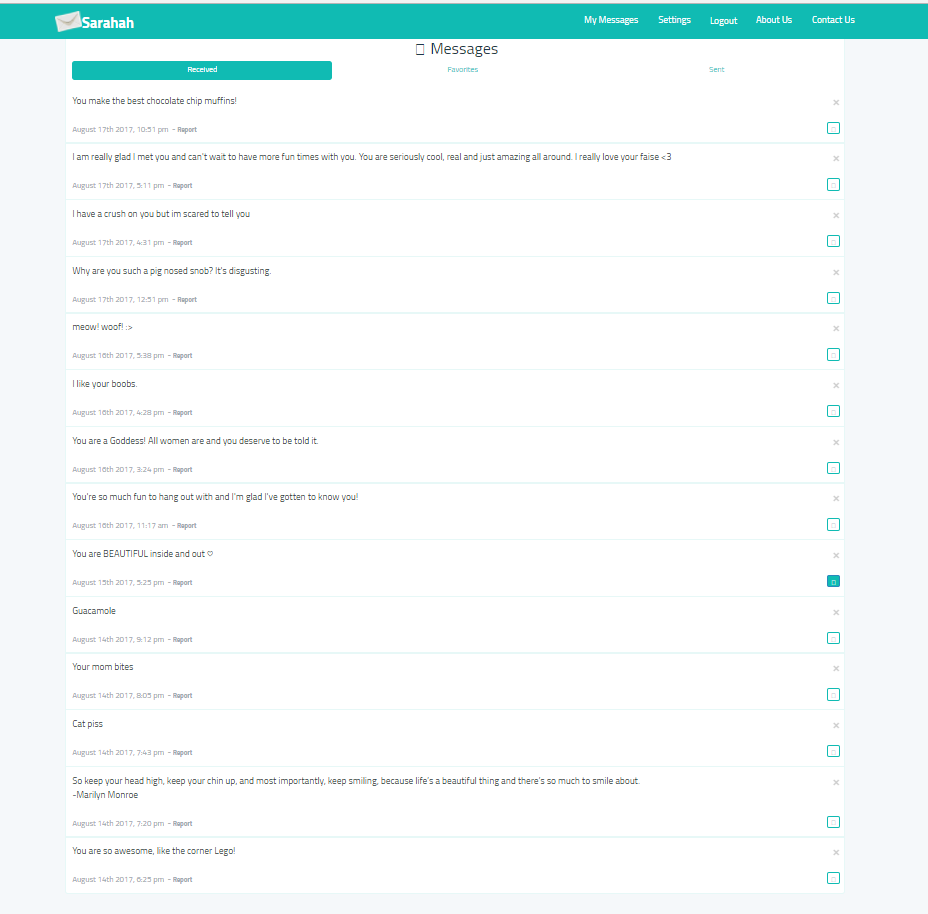
So as many of you with Second Life Facebook Accounts can see a sort of phenomena hit the timelines of residents across the grid.  It all started with an application that you can download and sin up for for people to post anonymous messages to you.

The application, Sarahah, can be downloaded via Google Play store or App Store.  While it opened a door of wonderful positive messages, constructive criticism and so many wonderful uplifting messages for many.  It became an instant internet troll sensation.  I saw some pretty gruesome posts going on all over, as many people were actually sharing the messages they had received, which of course is to be expected sadly anytime a sense of anonymity is ensured.  People get so tough behind a computer screen when they feel there are no consequences for said actions.  I saw things from just petty commentary to downright insane threats and violent commentary towards individuals.

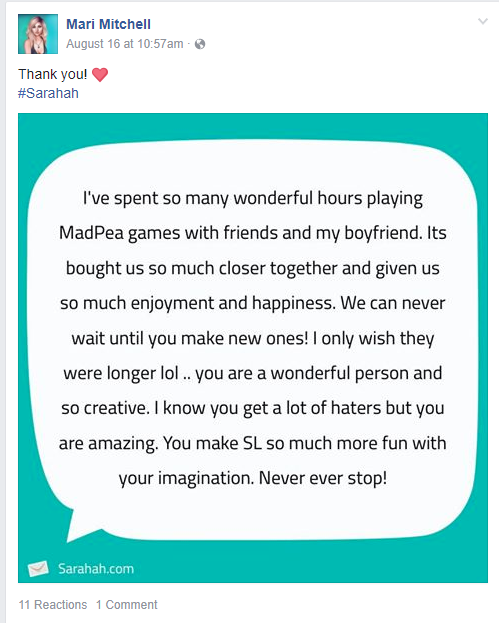
I myself decided to give it a go as i have also seen some amazing acts of kindness and people just being sweet to one another…as you can see posted below – I must say some of the messages were extremely random.  Some absolutely made me laugh…even the one “mean” message I received was honestly just humorous to me as well.  I also posted one from my timeline that a friend had received that just seemed to restore my faith in the application itself for sure 🙂


Honestly, I do not think when the makers of this Sarahah App released their program I don’t think they had in mind to use it as a tool for people to use as a way to online bully others. As the week unfolded it quickly turned into an all week SL Secrets bash event. We have also had a previous posting here at Zoha about SL Secrets, feel free to read the perspective of another writer.  It makes me sad – online bullying is awful, and can really impact a persons mood, you never know what a person is going through in their day to day lives, and many come to Second Life to have a break from those hardships.

Be positive, be happy, and really who cares what other people think of you.

Know there are always people in your life who do truly love and care for you regardless of what a few bad apples think or say.  

Keep your head up SL!

WHY DO COMPUTERS CRASH?

It’s a real pain when your computer locks up, freezes, crashes, or displays the dreaded “blue screen of death” with some cryptic error message. This sort of problem can be devilishly difficult to diagnose, because many things can cause a computer to crash. Here are seven common causes of computer crashes and some tips on how to deal with them…

Why Do Computers Crash?

Often I’ll get people asking the question along the lines of ‘My computer is crashing, what should I do?’. As much as I’d like to help, that’s not enough information to diagnose the problem and suggest a solution.

A computer crash can take the form of a complete power down, an unexpected restart, the Blue Screen of Death, or a screen freeze. In some cases, just restarting the computer will get you going again. But chances are, you haven’t really solved the problem. Here are seven things that can cause your computer to crash:

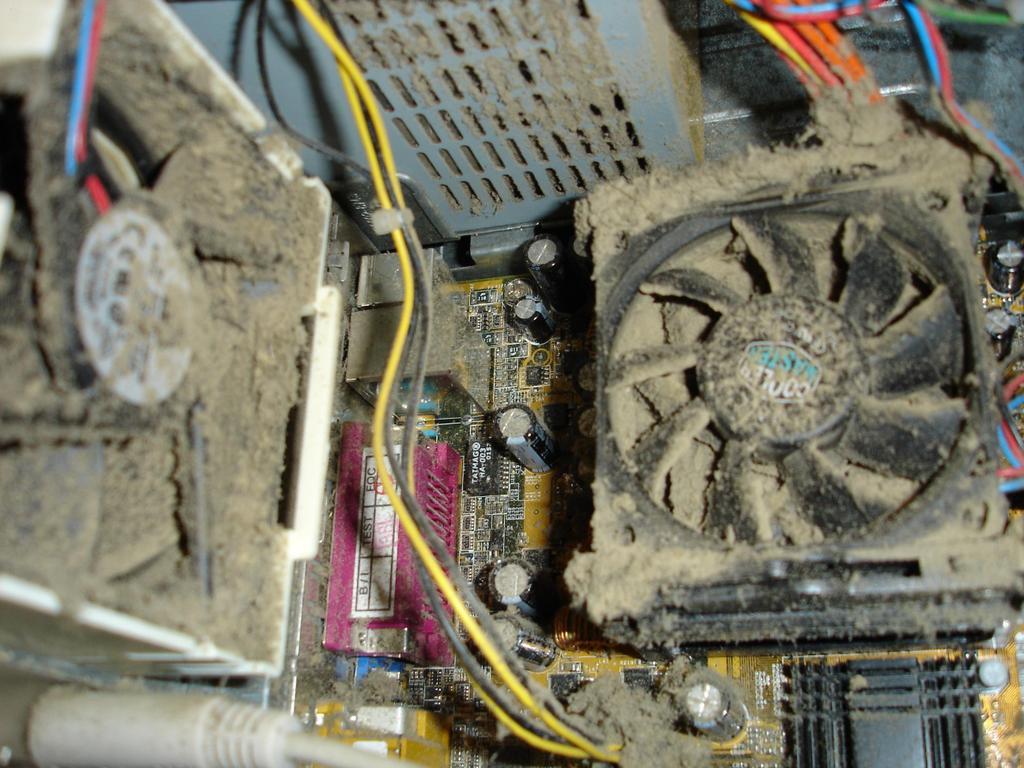
HEAT: An overheated processor (CPU) will shut down without warning, to avoid damage. Heat can build up because a cooling fan is not working or is clogged with dust. Hard drives are also temperature sensitive, and I suspect that motherboards and RAM memory can become flaky when temperatures inside a desktop or laptop computer rise above normal

One of my computers used to experience random crashes every few months while using second life. I found that periodically opening the case and cleaning all the fans, heat sinks and components with a can of compressed air would solve the problem temporarily. Replacing the system fan (which was making loud buzzing noise) solved the problem.

There are free utilities  that monitor temperatures within your computer and fan speeds; some will even let you control fan speed. A few months ago, my desktop PC would just lock up or shut down at seemingly random times. I used a free temperature monitor program to determine that my graphics adapter was overheating. When I opened the case, I found that it’s cooling fan had seized, and was partially melted! Fortunately, it was designed to send a “Warning, Danger!” signal to the motherboard, which prevented it from catching fire.

SOFTWARE ERRORS: If crashes occur only when you’re using a specific software application, that’s the first place to look for problems. Sometimes a software bug causes a crash when a certain operation is attempted. Check the software maker’s Web site for any updates that may fix your problem. It’s also a good idea to scan your computer to ensure that all your software is up to date with the latest security patches.

Occasionally, software may become corrupted or “scrambled;” that can cause crashes too. If software updates and a disk check (see below) don’t fix your problem, you may have to remove and then re-install the corrupted software.

HARD DRIVE ERRORS are yet another potential cause of computer crashes. A problem with your hard drive doesn’t necessarily mean that it needs to be replaced. There are a variety of factors that can cause files, folders, or partitions to become damaged or lost. Human error, malware, and poorly designed software are all possibilities.

A drive error may be a logical error in the Master File Table, or a defective sector on the disk itself. Windows has a built-in utility that will detect and fix logical errors, and mark bad sectors so they are not used to store data.

MALWARE: Viruses and other forms of malware often causes computer crashes; in fact, some malware is written to do just that. Running a full scan with one or more good anti-malware tools is a good thing to do when crashes occur at random. If you want to replace or supplement your existing anti-virus protection with free alternatives. MalWareBytes and Avast Free anti-virus are my best picks to take care of these issues.

DEVICE DRIVERS: Outdated device drivers and (GPU) drivers can cause crashes. I’ve heard reports where simply plugging a device into a USB port caused a system crash. Drivers usually work fine until you install a new operating system or a major update to an existing operating system, such as a Service Pack. If you start suffering crashes after an operating system change, updating the drivers for your printer, scanner, CD/DVD drive, external hard drive and other peripheral devices may solve the problem. The best place to look for new device drivers is the vendor’s website. Stay away from “driver update” websites and downloadable programs that offer to scan your system and supply new drivers.

FLAKY MEMORY: It’s rare for RAM memory to go bad, but that can be a cause of computer crashes. Sometimes a RAM chip with a “bad spot” will work fine, until a software program attempts to use that portion of memory. Memtest86+ is one of several utilities that can diagnose problems with RAM and other hardware that may be causing computer crashes.

FAILING POWER SUPPLY: Unexpected restarts can also be a sign of a failing power supply. When someone has tried everything else, and their computer is still glitching at seemingly random times, I often recommend a new power supply. Fortunately, power supplies are cheap and easy to replace yourself.

If your problem is software-related, there’s a free program called WhoCrashed that you can run after experiencing a system crash, unexpected shutdown/reset, or “blue screen of death” event. WhoCrashed which will analyze your Windows system log files, report on the most likely cause, and offer suggestions on how to fix the problem.

Have a Great Week

Deuce Marjeta